Sync issues & troubleshooting
Messages aren't appearing
- Refresh the Mailbox: pull the message list down (Android/iOS) or click 🔄 (Windows).
- Check that you're in the right folder and account — the name under the folder title shows the account.
- Check the ▽ Filter isn't set to Unread only and the search box is empty.
- Older messages? Scroll to the bottom and tap Load more.
- Check your device's internet connection.
- If sign-in fails, see Re-authenticating an account.
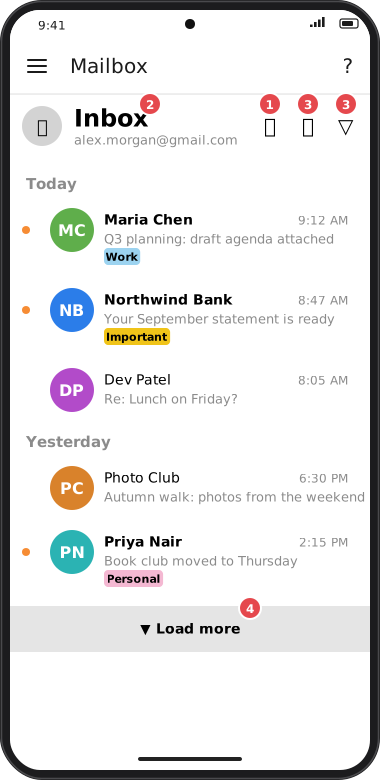
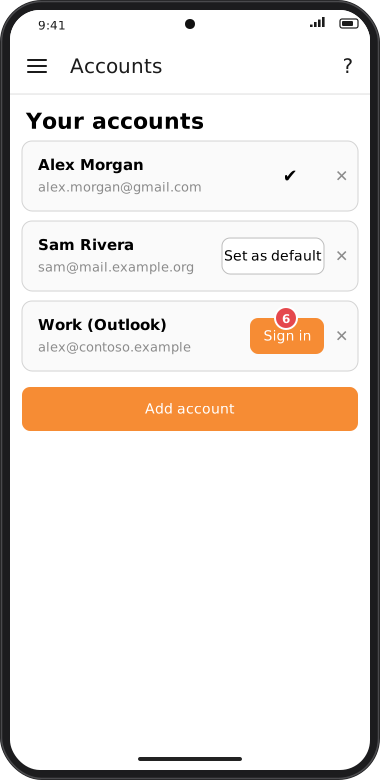
Screens are illustrated with the Android layout; Windows and iOS show the same screens with native styling. Red numbers on a picture match the numbered list or the numbers in the caption for that picture.
A folder is missing from the menu
You may have hidden it. Tap Show hidden folders in the side menu, or see Folders & hidden folders.
Mail from someone goes straight to Junk
Check whether the sender or their domain is on your Blacklist. New mail from a blocked sender is moved from the Inbox to Junk (in Gmail, Spam). To keep one message, open Junk and use Move to Inbox: goCORA leaves it in the Inbox from then on. To stop it for all their mail, remove the sender from the Blacklist.
Sync seems slow or stuck
- The first sync of a new account or folder can take a minute — you'll see Retrieving your emails….
- Switching networks (e.g. Wi-Fi to mobile data) can briefly interrupt a sync.
- Close goCORA completely and reopen it to restart syncing.
Messages appear on one device but not another
This is normal for POP3 accounts, which don't keep devices in sync — see POP3 accounts. With IMAP, make sure both devices use the same account and are online.