CORA Security settings
In the app: Settings › CORA Security
Video tutorial:
CORA Security settings in goCORA
(opens in YouTube)
goCORA protects your local data with CORA, its own encryption technology. CORA uses Multiple Use Pads (MUPs) which are split across several files called Blocs. The CORA Security section of Settings controls how this works. Tap ℹ next to any option to read its description in the app.
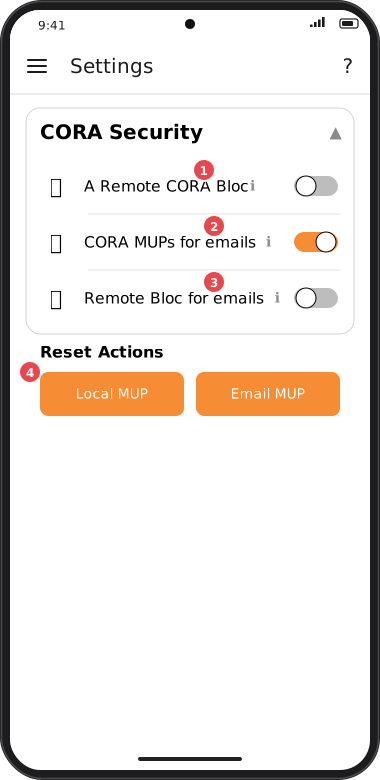
Screens are illustrated with the Android layout; Windows and iOS show the same screens with native styling. Red numbers on a picture match the numbered list or the numbers in the caption for that picture.
- A Remote CORA Bloc — store one of the Blocs that protect your local goCORA data on a remote server instead of only on your device, for greater security. Part of a goCORA subscription.
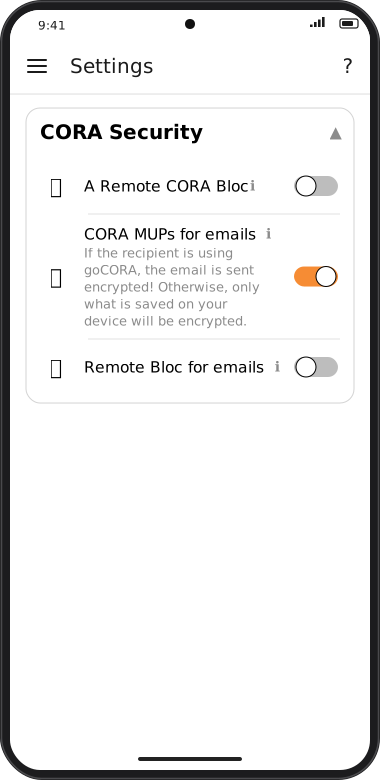
- CORA MUPs for emails — if the recipient also uses goCORA, your email is sent encrypted. Otherwise, only what is saved on your device is encrypted.
- Remote Bloc for emails — when the recipient uses goCORA, your email is sent with all but one CORA bloc; goCORA keeps the last one on your device so you can invalidate the email at any time. You can optionally store that bloc remotely.
- Reset Actions — Local MUP and Email MUP reset the corresponding MUP after you confirm.
For a plain-language overview of how goCORA protects your data, see How goCORA protects your account data.