Importing contacts
In the app: Contacts › Import
On the Contacts screen tap Import and choose a source. Only the sources your device supports are listed.
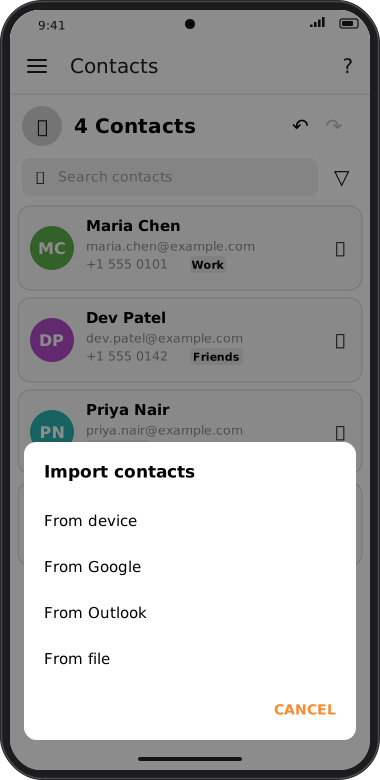
Screens are illustrated with the Android layout; Windows and iOS show the same screens with native styling. Red numbers on a picture match the numbered list or the numbers in the caption for that picture.
| Source | Available on | Notes |
|---|---|---|
| From device | Android, iOS | Reads your phone's address book. goCORA asks for permission to read contacts; if you declined earlier, choose Open settings to allow it. |
| From Google | Android, iOS, Mac | Signs in to your Google account to read its contacts. |
| From Outlook | Android, iOS, Mac | Signs in to your Microsoft account to read its contacts. |
| From file | All platforms | Pick a vCard file (.vcf) exported from another app. |
When the import finishes goCORA tells you how many contacts were added and how many were skipped (for example because they were already in your contacts).